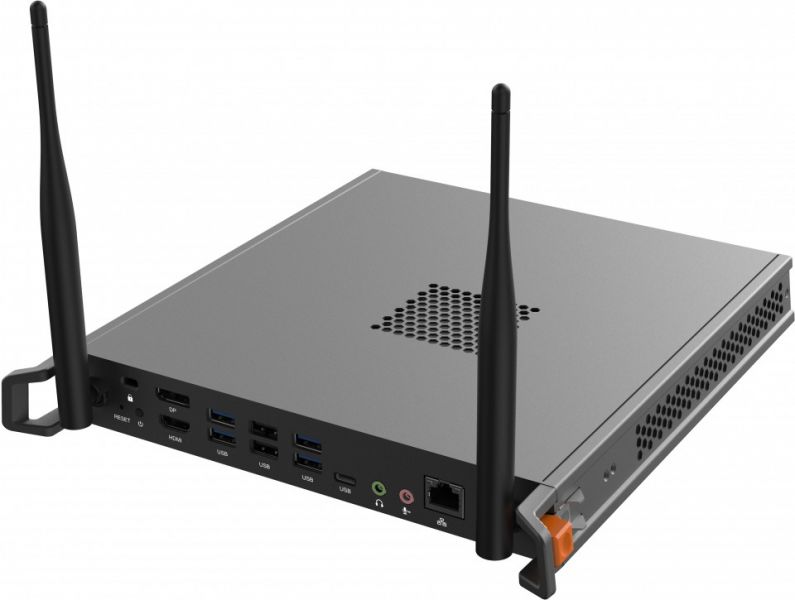
VPC27-W55-P2
Slot-in PC for ViewBoard®
- Windows 10 Pro - Viewsonic recommends Windows 11 Pro for business, Free Upgrade to Windows 11 *(when available, see below)
- Ideal Integrated Solution for ViewBoard® Interactive Displays & Commercial Displays
- Powerful Intel® 10th Core Processors
- Improved System Stability, Security, & Thermal Control
OVERVIEW
Nutzen Sie die Leistung, um mehr zu erreichen, wenn Sie Ihre interaktiven ViewBoard®-Displays und drahtlosen Präsentationsdisplays mit dem Slot-in-PC der ViewSonic VPC27-W55-P2 synchronisieren. Integriert mit der außergewöhnlichen Leistung von Intel® 10th Gen Core™ Prozessoren, bis zu 16 GB DDR4-Speicher und bis zu 512 GB SSD-Speicher, erleben Sie eine verbesserte Rechenleistung, um komplexe Klassen und Kollaborationen zu bewältigen. Mit Dualband-WLAN, Bluetooth 5.2 und einer Reihe von Anschlüssen, darunter 4K-HDMI, DP1.4, USB 3.0 und Gigabit-LAN RJ45 für schnellere Arbeitsabläufe, genießen Sie pure Produktivität.Nutzen Sie ein leistungsstarkes System zur Produktivitätssteigerung
Steigern Sie das interaktive Whiteboard mit der bemerkenswerten Leistung und blitzschnellen Geschwindigkeit von Intel® 10th Gen Core™ Prozessoren, damit Sie mühelos durch Unterricht und Übungen kommen. Integriert mit Intel® WiFi 6 und Bluetooth 5.2, erleben Sie ultraschnelle, vielseitige Konnektivität, um Remote- und Hybrid-Klassen mit Leichtigkeit zu ermöglichen.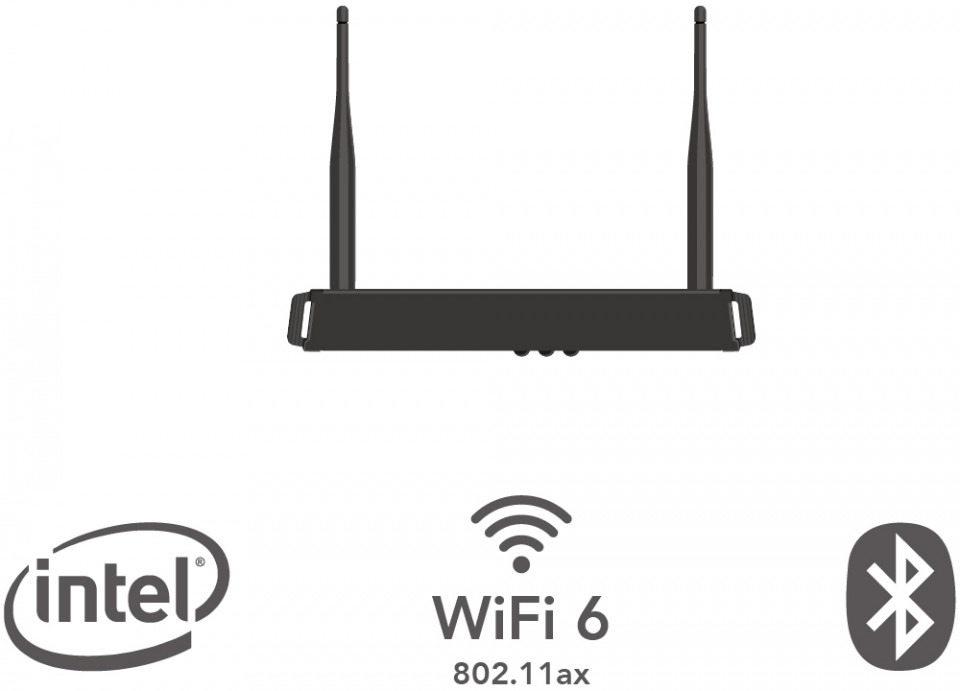
Stabilität in jeder Unterrichtsstunde
Lehren und präsentieren Sie ohne Sorge vor plötzlichen Unterbrechungen. Mit FinchGuard, einer Watchdog-Timer-Software, erkennt die VPC27-W55-P2 intuitiv Systemstörungen und stellt diese nahtlos ab, um die Produktivität zu maximieren.
Cool bleiben und durch den Unterricht stürmen
Ausgestattet mit einer Wärmeregulierungsschaltung und einer Geräuschreduzierung kann der Lüfter im Gerät viel mehr Wärme bei einer leiseren Akustik von unter 35 Dezibel abführen, was zu einem angenehmeren und längeren Unterricht führt.
Boot up with total security
Verhindern Sie das Laden von bösartiger Software und unerwünschten Betriebssystemen während des Starts mit dem optionalen Secure Boot in der BIOS-Einstellung. Dies verhindert, dass vorhandene Fehler geladen werden und dass Unbefugte auf die PC-Einstellungen zugreifen können.
Efficient content management
Synchronisiert mit myViewBoard, einer intuitiven Software-Suite, bietet die VPC27-W55-P2 die Möglichkeit, Inhalte per Fernzugriff zu teilen und ansprechende Lektionen zu vermitteln, um die Interaktivität und Produktivität zu steigern.
I/O Port

- USB 2.0
- DisplayPort
- Anti-theft lock
- Reset
- Power
- HDMI
- USB type C
- Headphone
- Microphone
- RJ45
- USB 3.0
SPECIFICATIONS
- SoftwareOperating System: Windows 10 Pro - Viewsonic recommends Windows 11 Pro for business, Free Upgrade to Windows 11 *(when available, see below)
- CoreCPU: Intel Core i7-10700T (vPro) 2.0GHz Turbo boost 4.5GHz
Graphics: Integrated Intel® UHD Graphics 630 Intel Q470 chipset - MemoryCapacity: 16GB DDR4
- StorageDimension: M.2 2280 (22 x 80 mm)
Capacity: 512GB SSD
Interface: PCIE and SATA 3 - INPUTMIC(Microphone): x1
- OUTPUTDisplayPort: x 1 (1.4, resolution 3840x2160@60Hz)
HDMI: x 1 (2.0, resolution 3840x2160@60Hz)
Audio: x 1 Line out - LANRJ45: GbE LAN Port
- Wireless / BluetoothIntel® Wi-Fi 6 AX200.NGWG.NV + BT5.2 Module dual band
- USBType A: USB x 6 (USB 3.0 x 4, USB 2.0 x 2)
Type C: USB 3.2 x 1 (data only) - Bundle SoftwareAdobe Reader / myViewBoard WhiteBoard for Windows / BIOS Winflash tool / FinchGuard (Watch Dog) / Intel Unite
- PowerVoltage: AC 110-240V 50/60Hz
Consumption: 110 W - OPERATING CONDITIONSTemperature (º C): -5°C to 40°C
Humidity: 10% ~ 90% @ 40°C Non-condensing. - DIMENSIONS (W x H x D)Physical (inch / mm): 9.69 x 10.45 x 1.27 inch / 246.2 x 265.4 x 32.2 mm
Packaging (inch / mm): 13.78 x 12.2 x 3.54 inch / 350 x 310 x 90 mm - WEIGHTNet (lb / kg): 4.3 lb / 1.95 kg
Gross (lb / kg): 4.63 lb / 2.1 kg - REGULATIONScTUVus, FCC, FCC ID, IC ID, CE, RED, CB, BSMI, NCC, RoHS, ErP, REACH, WEEE
- PACKAGE CONTENTS1. VPC OPS
2. QSG - DisclaimerUser
*The Windows 11 upgrade will be delivered to qualifying devices late 2021 into 2022. Timing varies by device. Certain features require specific hardware. (see Windows 11 Specifications https://www.microsoft.com/en-us/windows/windows-11-specifications?r=1)
SUPPORT & DOWNLOADS
Datasheets
User Guides
VPC27-W55-P2 User Guide (Deutsch)
See all languages
VPC27-W55-P2 User Guide (Dansk)VPC27-W55-P2 User Guide (English)VPC27-W55-P2 User Guide (Español )VPC27-W55-P2 User Guide (Français)VPC27-W55-P2 User Guide (Nederlands)VPC27-W55-P2 User Guide (Norsk)VPC27-W55-P2 User Guide (Português)VPC27-W55-P2 User Guide (Suomi)VPC27-W55-P2 User Guide (Svenska)VPC27-W55-P2 User Guide (Türkçe)VPC27-W55-P2 User Guide (Ελληνικά)VPC27-W55-P2 User Guide (Русский)VPC27-W55-P2 User Guide (简体中文)VPC27-W55-P2 User Guide (繁體中文)


