To enhance the performance of the Apple Pencil when writing in myViewBoard Whiteboard:
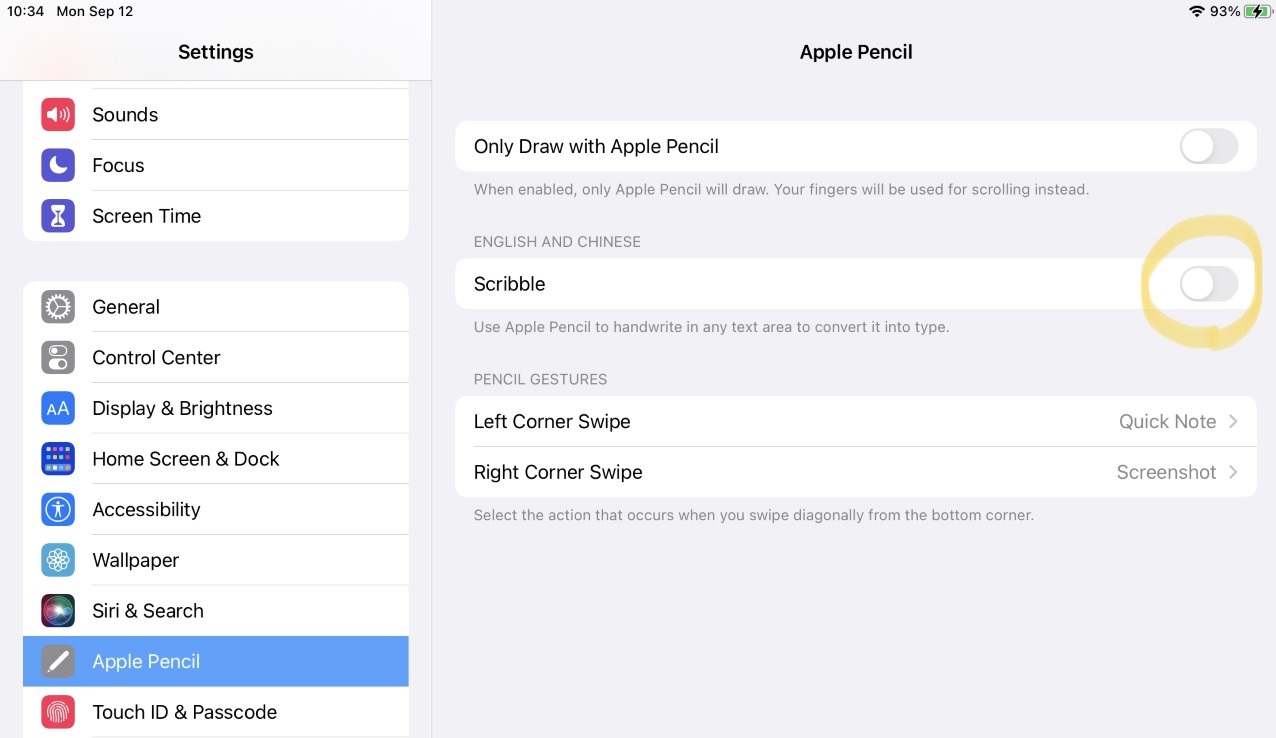
1. On your iOS device, go to: Settings > Apple Pencil > Scribble.
2. Disable Scribble.
To enhance the performance of the Apple Pencil when writing in myViewBoard Whiteboard:
1. On your iOS device, go to: Settings > Apple Pencil > Scribble.
2. Disable Scribble.